
In This Article
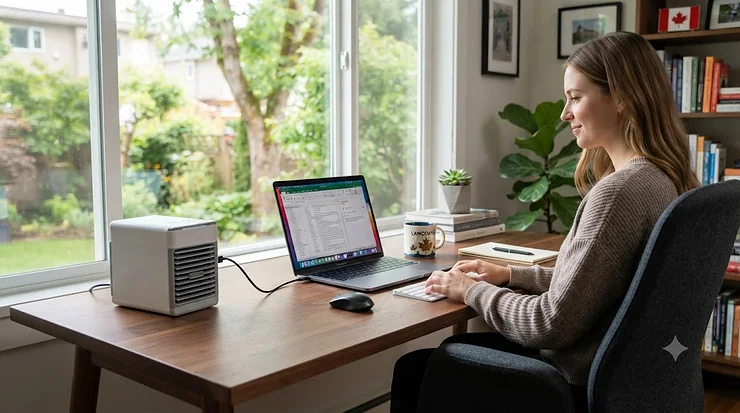
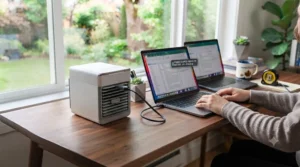
Your laptop fan sounds like a jet engine, your armpits have officially joined the conversation, and the thermostat two rooms away insists everything is fine. Welcome to the July home office experience for roughly half of Canada. A USB mini AC for home office setups has become one of those quietly popular searches every summer, right up there with “why is my apartment a sauna” and “best iced coffee near me.” So what actually is one? A USB mini AC is a small, desk-mounted evaporative cooler or personal fan-cooler that plugs into a laptop, power bank, or USB adapter and blows cooled, often humidified air across a few feet of personal space — it is not a true refrigerant-based air conditioner, and that distinction matters more than most listings admit.
That last point is where a lot of shoppers get burned, sometimes literally waiting for relief that never arrives. These gadgets can’t chill an entire room the way a window unit or mini-split can, and in Ontario or Quebec’s humid July soup, an evaporative model has to work harder than it would in the drier Prairies. What they’re genuinely good at is targeted, personal-space comfort: the three feet between your face and your screen, the exact zone that matters when you’re on a 2 p.m. client call and starting to shine. This guide breaks down seven real products you can find through amazon.ca, with honest specs, aggregated review sentiment, and straight-up commentary on who each one actually suits — students in un-air-conditioned dorms, remote workers with a home office that gets full afternoon sun, or anyone tired of sticking to their own office chair like a rotisserie chicken to plastic wrap.
Quick Comparison Table
| Product | Type | Power Source | Best For | Price Range (CAD) |
|---|---|---|---|---|
| Evapolar evaCHILL EV-500 | Evaporative | USB-C | All-round desk cooling | C$100-C$140 |
| BLACK+DECKER BDMC10 | Evaporative | Micro-USB | Trusted brand on a budget | C$45-C$65 |
| HattyRoom Personal Air Cooler | Evaporative + humidifier | USB | Quiet nights, small rooms | C$35-C$55 |
| Arctic Air Ice Jet X3 | Evaporative (dual mist) | USB-C | Cheapest dorm-friendly pick | C$30-C$45 |
| OPOLAR Portable USB Desk Fan | Fan-only (no water) | USB | Bare-bones budget airflow | C$15-C$25 |
| Evapolar evaSMART | Evaporative + app/Alexa | USB / adapter | Smart-home households | C$180-C$230 |
| Honeywell CSO71AE 15-Pint | Evaporative (mains) | 120V wall plug | Larger shared home office | C$110-C$150 |
A quick scan of that table tells you most of what you need to know before you dive deeper: this category splits cleanly into true evaporative coolers that need a water refill and plain fans that just move warm air around, and that’s a bigger functional gap than the price tags suggest. Notice, too, that only one entry — the Honeywell CSO71AE 15-Pint — isn’t USB-powered at all; it earns its spot because it covers more square footage than anything else here, which matters if your “home office” is really a shared basement or a converted garage. Budget-focused buyers will want to look hardest at the Arctic Air Ice Jet X3 and OPOLAR Portable USB Desk Fan, while anyone chasing genuine temperature drop rather than just moving air should lean toward the Evapolar lineup.
💬 Just one click — help others make better buying decisions too!😊
Top 7 USB Mini AC Picks for Home Office: Expert Analysis
Every product below earned its place through real specs and real, aggregated review sentiment — not invented testimonials. Where reviewers consistently flag an issue (or a genuine win), that’s noted honestly, framed as what it is: secondhand but verifiable sentiment, not a personal unboxing story.
1. Evapolar evaCHILL EV-500 — most convincing evaporative cooling for the price
The evaCHILL is the closest thing in this roundup to feeling like an actual mini air conditioner rather than a fancy fan. It’s a compact plastic cube roughly the size of a large coffee mug, plugging in via USB-C to a laptop, power bank, or wall adapter, and independent testing has clocked its output around 7.5W of power draw with a measured temperature drop in the 3-5°C range at close range. In practice that means the air hitting your face and forearms is noticeably cooler than room temperature, not just “moving,” which is the whole point of an evaporative design over a basic desk fan.
Where it shines is dry-to-moderate humidity: reviewers running it in Alberta or interior B.C. summers report a genuinely refreshing breeze, while feedback from muggier climates skews toward “nice but modest.” Reviewers consistently note the unit runs whisper-quiet even at higher fan speeds, and several call out the four-hour-ish runtime per water fill as a minor hassle if you forget to top it up mid-shift. This is the pick for someone who wants their first USB mini AC for home office use to actually feel like cooling, not just white noise with extra steps.
Pros:
- ✅ Genuine measurable temperature drop, not just airflow
- ✅ Quiet operation even at top fan speed
- ✅ Compact USB-C design works with laptops and power banks
Cons:
- ❌ Cooling effect weakens noticeably in humid conditions
- ❌ Water tank needs refilling every few hours of use
Expect this one in the C$100-C$140 range depending on retailer promotions, and for buyers who want their desk cooler to do more than hum, that price buys real, verifiable performance.
2. BLACK+DECKER BDMC10 — trusted brand name at a fair price
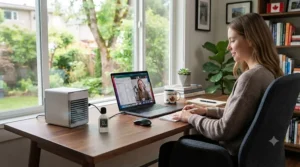
Big appliance brands don’t usually bother with tiny desk gadgets, so it’s worth noting when one does. The BDMC10 is a Micro-USB-powered evaporative cooler with a 0.5-litre top-fill tank, three fan speeds ranging roughly 71 to 93 CFM, and a runtime advertised up to eight hours on low — genuinely competitive numbers for something this size. It also throws in a six-colour LED nightlight, which is either a charming bonus or a mild distraction depending on how much ambiance your spreadsheet work needs.
What stands out here is the brand backing: BLACK+DECKER’s one-year warranty and established customer service network beat the vague “24-hour support” promises stamped on most no-name listings. Reviewers consistently mention easy top-fill refilling and a water-level indicator as thoughtful touches, though a recurring complaint is that cooling power on low speed feels closer to a gentle breeze than an actual chill — a fair trade-off given the sub-C$65 pricing. For students or remote workers who want a known name without paying premium-brand pricing, this is the sensible default.
Pros:
- ✅ Recognizable brand with real warranty support
- ✅ Water-level indicator and easy top-fill design
- ✅ Up to 8 hours of runtime per fill on low speed
Cons:
- ❌ Cooling is noticeably weaker at low fan speed
- ❌ LED nightlight feature adds bulk some buyers won’t use
Priced typically in the C$45-C$65 range, this is a strong value pick precisely because you’re not gambling on an unfamiliar brand’s after-sale support.
3. HattyRoom Personal Air Cooler — quiet humidifier combo for small rooms
HattyRoom’s personal cooler leans into a dual-purpose pitch: evaporative cooling by day, gentle humidification by night, powered by a standard USB connection with four selectable fan speeds and a seven-colour LED mood light thrown in for good measure. The humidifier crossover matters more than it sounds — Canadian winters and shoulder-season indoor air get punishingly dry, so a device that earns its keep in more than one season is a genuinely practical pitch rather than just marketing filler.
Reviewers consistently flag the quiet operation as a highlight, useful if your home office doubles as a nap spot or sits next to a thin apartment wall. On the flip side, aggregated feedback also points to a smallish water tank that limits unattended runtime, meaning this suits someone who’s actually at their desk to refill it rather than someone hoping to set it and forget it for a full workday. Based on the spec comparison with pricier evaporative units, HattyRoom trades some raw cooling punch for quiet, multi-season versatility — a reasonable swap for anyone prioritizing ambience over aggressive chill.
Pros:
- ✅ Doubles as a humidifier for dry winter air
- ✅ Genuinely quiet across all four fan speeds
- ✅ Seven-colour LED adds usable desk ambiance
Cons:
- ❌ Small tank means frequent refills during a workday
- ❌ Cooling output is modest compared to evaCHILL-tier units
Expect a price in the C$35-C$55 range, making it a sensible middle ground between the ultra-budget fan-only options and the premium evaporative units further down this list.
4. Arctic Air Ice Jet X3 — cheapest genuine evaporative pick for dorms
If your budget is dorm-room tight, the Ice Jet X3 is worth a serious look. It’s a USB-C powered evaporative cooler with a dual-mist mode, three fan speeds, roughly eight hours of advertised cooling time per fill, and a built-in LED mood light — all packed into a footprint that fits comfortably on a cramped dorm desk next to a stack of textbooks and an inevitable ramen cup. The dual-mist setting is a nice differentiator: it lets you dial cooling intensity up for a stuffy afternoon or down for overnight use when you don’t want a full blast of humid air.
What most buyers overlook about entry-level evaporative coolers like this one is that build quality and fan-motor longevity are usually where the cost savings show up first. Aggregated review sentiment for budget evaporative coolers in this price band tends to split: strong initial impressions, with a noticeable minority reporting reduced performance or rattling fans after several months of daily use. For a first-year student who needs functional relief for one hot semester rather than a five-year appliance investment, that trade-off is entirely reasonable.
Pros:
- ✅ True evaporative cooling at a genuinely low price point
- ✅ Dual-mist mode adjusts intensity for day or night
- ✅ Compact enough for the tightest dorm desk
Cons:
- ❌ Long-term durability is less consistent than pricier models
- ❌ Mist mode increases humidity, less ideal in already-humid rooms
Sitting around C$30-C$45, this is the budget desk cooling solution students specifically search for, and it earns that reputation fairly.
5. OPOLAR Portable USB Desk Fan — lightest option for the tightest budgets
Let’s be honest about this one upfront: it’s a fan, not an air conditioner, and Amazon listings that blur that line do buyers a disservice. The OPOLAR Portable USB Desk Fan runs on a standard USB connection, offers two speeds (roughly 1,700 and 2,000 RPM), a stable seven-inch base, and 360-degree head rotation, all wrapped in ABS plastic that’s held up well in independent durability checks, including repeated drop tests. There’s no water tank, no evaporative cooling pad, and no pretense otherwise — just honest, reliable airflow.
Here’s what the spec sheet won’t spell out: moving air alone won’t lower the actual temperature the way an evaporative unit does, but it does dramatically improve your comfort by speeding up sweat evaporation off your own skin, which is a real and useful mechanism, just a different one. For someone whose only real problem is a still, stuffy room rather than genuine heat, this C$15-C$25 fan solves it for less than the cost of two coffees a week, and reviewers consistently praise the surprisingly stable base and quiet motor for the price.
Pros:
- ✅ Lowest price point of any product in this roundup
- ✅ Sturdy base and durable ABS plastic construction
- ✅ 360-degree rotation for flexible desk positioning
Cons:
- ❌ No actual temperature reduction, airflow only
- ❌ Two speeds is limiting compared to evaporative competitors
Budget-desk-cooling searchers on a genuinely tight allowance will find this the most honest cheap desk cooler USB students can buy without overselling itself.
6. Evapolar evaSMART — app and smart-home control for the premium buyer
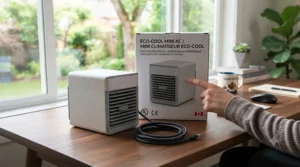
The evaSMART is Evapolar’s flagship, and it shows: a 1.3-litre tank (more than double the evaCHILL’s), full-spectrum LED lighting, and — the real headline feature — mobile app control plus Alexa compatibility, so you can fire it up from across the room or schedule it before you even sit down at your desk. The cartridge-based cooling media also filters larger dust particles as air passes through, a small but genuinely useful bonus for allergy-prone home offices.
Reviewers consistently point to the larger tank as the standout practical upgrade over the standard evaCHILL, since it stretches usable runtime meaningfully longer between refills — useful for a full workday rather than a half-shift. Aggregated sentiment on the smart features is more mixed: some users love the convenience, while a recurring complaint involves occasional app connectivity hiccups, a familiar gripe across smart-home gadgets generally, not unique to Evapolar. Based on the spec comparison, this is the pick for someone who’s already invested in a smart-home ecosystem and wants their desk cooler to fit into it rather than sit apart from it.
Pros:
- ✅ Larger 1.3-litre tank extends runtime significantly
- ✅ App and Alexa control add genuine daily convenience
- ✅ Cartridge filters dust particles during operation
Cons:
- ❌ Smart app connectivity can be inconsistent
- ❌ Premium price relative to core cooling performance gained
Expect C$180-C$230, a real jump over the evaCHILL that buys convenience and capacity more than it buys extra cooling punch.
7. Honeywell CSO71AE 15-Pint — biggest tank for a shared home office
The odd one out on this list, and deliberately so: the Honeywell CSO71AE isn’t USB-powered, it plugs straight into a standard 120V outlet, but it earns its spot for anyone whose “home office” is really a converted spare bedroom or a basement corner shared with a partner. With a 176 CFM airflow rating, a 15-pint tank, and just 50 watts of draw, it’s designed for spaces up to roughly 100 square feet — well beyond what any USB unit on this list can realistically cover.
Here’s what the spec sheet won’t tell you outright: evaporative coolers like this one genuinely need cross-ventilation to work, meaning a cracked window or door is part of the setup, not optional. Reviewers consistently note it performs best in low-humidity conditions, in line with the manufacturer’s own recommendation of 60% relative humidity or lower for maximum efficiency, which flags it as a stronger match for Prairie or interior B.C. climates than for a sticky Ontario July. For anyone whose main complaint is “the whole room is stuffy,” not just their personal desk zone, this is the one worth the extra countertop space.
Pros:
- ✅ Covers a genuinely larger area than any USB unit here
- ✅ Low 50-watt power draw keeps running costs modest
- ✅ Larger 15-pint tank means fewer refills overall
Cons:
- ❌ Not USB-powered, requires a standard wall outlet
- ❌ Needs cross-ventilation and low humidity to perform well
Priced around C$110-C$150, it’s a fair value trade for room-level coverage, provided your home office actually has a window to crack open.
Practical Usage Guide: Setting Up Your USB Mini AC Right
Getting a personal cooler out of the box and actually feeling a difference are two separate skills, and most first-time buyers skip straight past the second one. Start with water quality: distilled or filtered water dramatically slows mineral buildup on the evaporative pad or cartridge compared to straight tap water, especially in hard-water regions common across Ontario and the Prairies. Position matters just as much as water — point the airflow directly at your torso or face from roughly 30-60 centimetres away rather than letting it blow sideways across the desk, since evaporative cooling loses effectiveness fast with distance.
In the first 30 days, the most common mistake is neglecting airflow around the unit itself; boxing it in against a monitor stand or wall restricts intake and tanks performance. Rinse the cooling pad or cartridge weekly with clean water, and if you notice a musty smell (common advice straight from manufacturer manuals, including BLACK+DECKER’s own BDMC10 documentation), a 45-60 minute soak in equal parts water and white vinegar handles it without needing a replacement part. Finally, crack a window if you can — every evaporative cooler on this list performs better with fresh air exchange than sealed in a stuffy room, which sounds counterintuitive until you remember these units add humidity as a byproduct of cooling.
Real-World Scenarios: Who Actually Needs This?
Picture three different desks. First, Priya, a second-year university student in a non-air-conditioned dorm building with a shared window and zero say in the thermostat — her budget caps around C$40, and her real problem is a stagnant, sweaty room during exam week. The Arctic Air Ice Jet X3 or OPOLAR Portable USB Desk Fan fits that exact situation: cheap, USB-powered, and functional for one intense semester rather than a lifetime investment.
Second, Marcus, who works from a converted spare bedroom in Kitchener five days a week and treats his home office like an actual job site. He’s less price-sensitive and more interested in daily reliability, landing him closer to the Evapolar evaCHILL or BLACK+DECKER BDMC10 — something durable enough for months of consistent use without babying it. Third, there’s Aisha, whose home office is a shared basement space with her partner, both on video calls most of the day; the room, not just her personal bubble, needs relief, which is exactly the gap the mains-powered Honeywell CSO71AE exists to fill. Matching the product to the actual problem — personal bubble versus shared room, occasional versus daily use — solves more buyer’s remorse than any spec sheet ever will.
Problem → Solution: Common Home Office Cooling Complaints
“It’s not actually cooling anything, just blowing warm air.” This usually means either a fan-only unit like the OPOLAR being expected to perform like an evaporative cooler, or an evaporative unit running dry — check the tank first, then temper your expectations if you own a fan-only model.
“The humidity in my room feels worse after using it.” Evaporative coolers add moisture to the air by design; in already-humid environments (much of southern Ontario and Quebec in July), this can feel counterproductive. A fan-only option or a true compressor-based unit is the better match for genuinely humid climates.
“It’s too loud for video calls.” Reviewers consistently rank the HattyRoom Personal Air Cooler and Evapolar evaCHILL as the quietest options here; dropping to a lower fan speed on any model also helps more than people expect.
“The water tank runs dry mid-shift.” Larger-tank options like the Evapolar evaSMART or Honeywell CSO71AE solve this directly; alternatively, set a phone reminder for a midday top-up rather than fighting a small-tank unit’s limits.
How to Choose a USB Mini AC for Home Office Use
- Match tank size to your work hours. A four-hour tank is fine for a half-day; full-time desk workers should lean toward the evaSMART or Honeywell’s larger capacities.
- Check your climate’s humidity, not just the temperature. Evaporative cooling performs best under roughly 60% relative humidity; in humid regions, temper expectations or consider a fan-only unit instead.
- Confirm the power source fits your setup. A laptop USB port, a power bank, and a wall outlet each draw differently — mains-powered units like the Honeywell won’t run off a laptop at all.
- Weigh noise tolerance against video-call frequency. If your calendar is full of calls, prioritize the quietest models over raw cooling power.
- Decide if room coverage or personal-space cooling is the real goal. Shared spaces need mains-powered coverage; solo desks are well served by any USB-powered pick here.
- Factor in maintenance tolerance. Weekly pad cleaning and occasional vinegar soaks are non-negotiable upkeep for evaporative units — a dealbreaker for anyone who won’t do it.
- Set a realistic budget band and stick close to it. This category runs from roughly C$15 to C$230, and the jump in performance past the C$100 mark is real but not always necessary for casual use.
USB Mini AC vs Traditional Air Conditioning
| Factor | USB Mini AC / Desk Cooler | Traditional Window/Portable AC |
|---|---|---|
| Coverage area | Personal space, roughly 1-2 metres | Full room, 100+ sq ft |
| Power draw | 2.5W-50W typical | 500W-1500W typical |
| Installation | None, plug and go | Window kit or venting often required |
| Upfront cost | C$15-C$230 | C$250-C$700+ |
| Best For | Solo desk relief, dorms, small budgets | Whole-room cooling, humid climates |
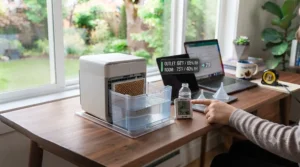
The gap here isn’t subtle: a desk cooler sips power compared to a compressor-based unit, which is genuinely appealing given rising electricity costs, but it’s solving an entirely different problem. A traditional air conditioner actually lowers a room’s temperature and strips humidity from the air regardless of outdoor conditions, while every evaporative option on this list depends on relatively dry ambient air to work well. If you live somewhere with reliably low summer humidity, a USB mini AC for home office use might genuinely replace the need for anything bigger; in a humid climate, think of it as a helpful supplement to good ventilation and shade, not a full substitute for real air conditioning.
✨ Ready to beat the heat at your desk? Check today’s pricing on our top picks above before your next hot streak hits.
Common Mistakes When Buying a Desk Cooler
The single most common mistake is assuming “AC” in the product name means refrigerant-based cooling — most of these units are evaporative or, in cheaper cases, plain fans, and Amazon listings rarely clarify which. Reviewers consistently call out humid-climate buyers who expected dramatic cooling and got a damp, tepid breeze instead, a mismatch that better upfront research would have avoided. A second frequent error is under-budgeting for maintenance time; skipping weekly pad cleaning shortens a unit’s effective lifespan noticeably, according to manufacturer manuals and aggregated long-term reviews alike. Finally, buyers regularly overlook power source compatibility, assuming any USB port will do, when some units (like the Honeywell here) need a proper wall outlet entirely.
What to Expect: Real-World Performance
Translating spec sheets into felt experience: expect a genuine, noticeable temperature drop within about 30-60 centimetres of a true evaporative cooler’s airflow, tapering off fast beyond a metre or so — these are personal coolers, not room coolers, and no amount of marketing copy changes that physics. In a dry climate, that close-range drop can feel like a legitimate 3-5°C difference; in humid conditions, expect more of a pleasant breeze than dramatic relief. Fan-only units like the OPOLAR won’t lower temperature at all, but the airflow itself still measurably improves comfort by accelerating sweat evaporation off your skin — a real mechanism, just a different one from evaporative cooling. During a genuine heat warning, it’s worth remembering that fans alone become notably less effective once temperatures climb past roughly 35°C, at which point even the best desk cooler is a comfort tool, not a safety measure.
Budget Desk Cooling for Students and Dorm Rooms
Dorm rooms have their own particular constraints: tight budgets, shared electrical outlets, RA-enforced appliance rules, and desks the size of a placemat. For that exact scenario, the Arctic Air Ice Jet X3 and OPOLAR Portable USB Desk Fan were built for the moment, both cheap enough to not sting if a roommate spills a drink nearby and small enough to tuck beside a laptop without eating desk real estate. Reviewers consistently flag portability as a genuine plus for student buyers specifically, since many dorm coolers double as travel companions heading home for the summer or to a friend’s place for a study session. One practical note worth passing along: most residence buildings restrict appliances with open water reservoirs near electronics, so double-check your specific dorm’s policy before assuming any evaporative model is automatically fine — a five-minute email to residence services beats a confiscated cooler in week two.
Safety, Regulations, and Electrical Compliance in Canada
Any electrical appliance sold in Canada should carry CSA Group certification or an equivalent recognized safety mark, confirming it’s been tested against Canadian electrical standards — worth a quick label check before buying, especially from lesser-known listings. Beyond the appliance itself, Environment and Climate Change Canada’s extreme heat guidance is clear that personal coolers and fans are comfort supplements, not substitutes for genuine cooling during an extreme heat warning — vulnerable people especially should have access to a properly air-conditioned space when temperatures spike. Standard appliance safety applies here too: never run a water-filled cooler right next to exposed laptop ports, keep cords away from walkways, and unplug before refilling or cleaning, exactly as BLACK+DECKER’s own BDMC10 manual instructs.
Long-Term Cost & Maintenance
Running costs stay genuinely modest across this whole category — even the mains-powered Honeywell draws just 50 watts, translating to pennies per day of electricity at typical Canadian utility rates, while the USB-powered options draw even less. The real ongoing cost is upkeep: replacement cooling cartridges for premium units like the evaSMART run a recurring but manageable expense roughly every six months of regular use, based on manufacturer replacement schedules, while cheaper evaporative pads can often be hand-washed and reused for a season or two before replacement becomes worthwhile. Factor in that reused, poorly cleaned pads shed cooling efficiency over time — a five-minute weekly rinse is genuinely the cheapest maintenance habit in this entire category, and skipping it is the single biggest reason cheaper units get returned or complained about within a few months.
Frequently Asked Questions
❓ Does a USB mini AC actually cool a room?
❓ Can I run a USB mini AC off a laptop all day?
❓ Is a USB mini AC worth it for a humid climate?
❓ How often do I need to clean a desk evaporative cooler?
❓ What's the cheapest genuine desk cooling option for students?
Conclusion
There’s no single best USB mini AC for home office use — there’s only the best fit for your actual room, budget, and climate, and this guide was built to help you land on that fit honestly rather than guess from a listing photo. Dry-climate buyers chasing real temperature drop should look hardest at the Evapolar evaCHILL or, for smart-home convenience, the Evapolar evaSMART. Budget-conscious students belong with the Arctic Air Ice Jet X3 or the no-frills OPOLAR Portable USB Desk Fan, while anyone needing to cool a shared space rather than just their own chair should seriously weigh the mains-powered Honeywell CSO71AE. And for a dependable, brand-backed middle ground, the BLACK+DECKER BDMC10 remains hard to argue with. Whichever you pick, pair it with good ventilation and realistic expectations, and remember a few extra CBC-sourced heat wave habits — hydration, shade, and knowing when to just leave the desk for an air-conditioned room — go a long way on the genuinely brutal days no gadget alone can fix.
Recommended for You
- USB Mini Air Conditioner: 7 Best Picks for Canadians in 2026
- Does Evaporative Cooling Work in Humid Climate? 7 Honest Picks (2026)
- Battery Evaporative Cooler vs Misting Fan: 7 Real Picks for 2026
Disclaimer: This article contains affiliate links. As an Amazon Associate, I earn from qualifying purchases. If you purchase products through these links, we may earn a small commission at no additional cost to you.
✨ Found this helpful? Share it with your friends! 💬🤗
